Manage entity rules#
Manage entity rules from the List of entity rules.
To get to the list of entity rules:
From the left sidebar, select Data configuration
 > Rules > Entity.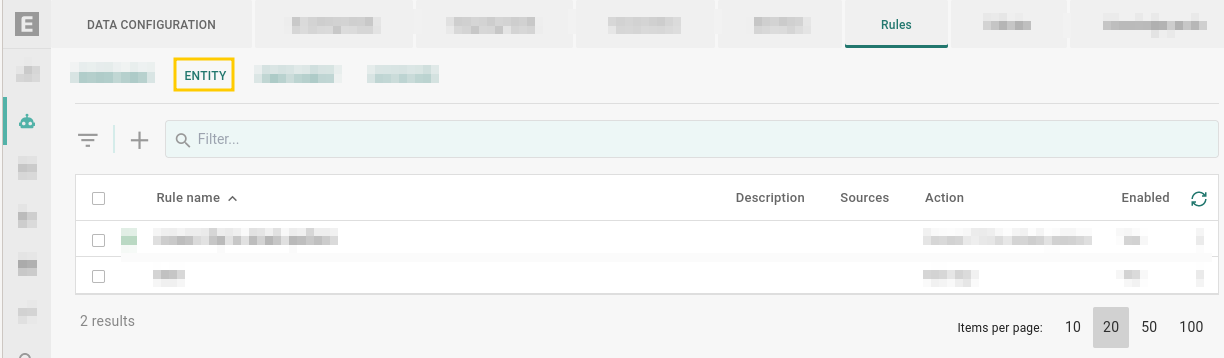
Go to Data configuration
> Rules > Entity.#
Enable or disable a rule#
A rule must be enabled to run automatically against new entities.
When a rule is enabled, it executes automatically each time an entity is ingested or created. Any entity matching the rule’s criteria triggers the rule’s actions immediately, without manual intervention.
When a rule is disabled, it does not run on new data, but you can still trigger it manually to run against existing entities. See Manually run rules.
Enable#
To enable a rule, do one of the following:
From the list of rules
Locate the rule you want to enable.
Select More
 on the right of that rule.
Select Enable.
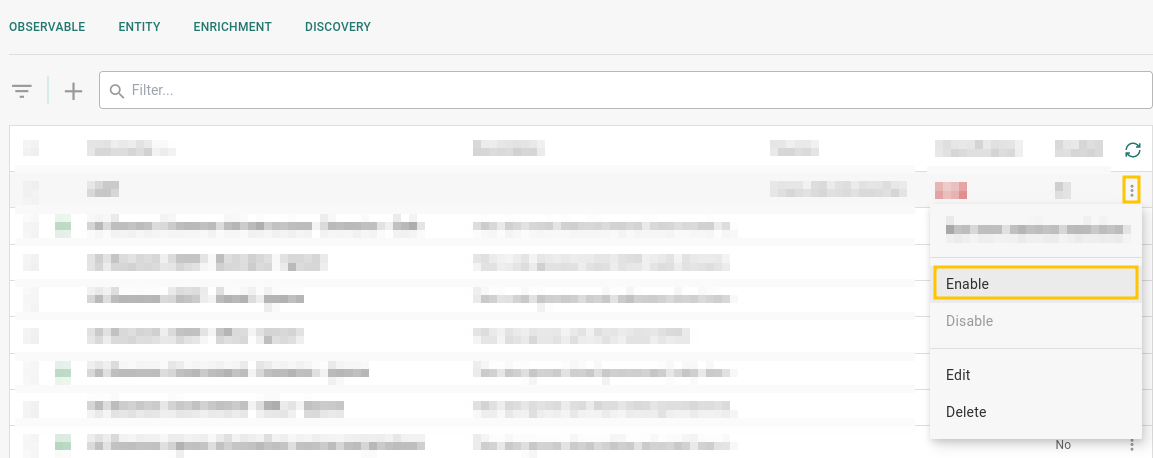
Enable a rule.#
From an open rule
Select a rule to open it, then select Enable.
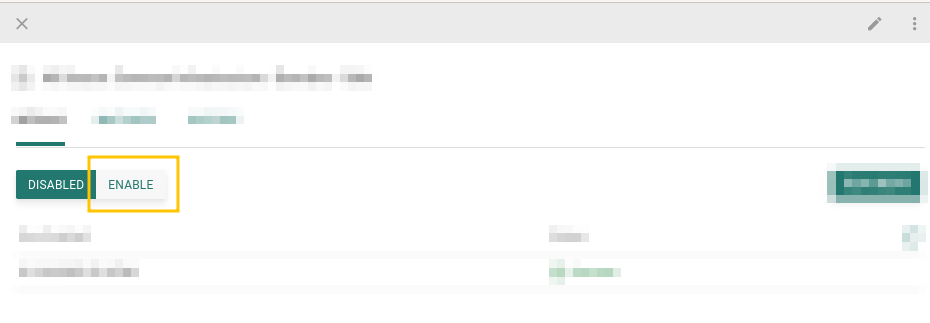
Enable a rule.#
Enable when creating rule
Select Enabled when creating a rule. See Create entity rules.
Disable#
To disable a rule, do one of the following:
From the list of rules
Locate the rule you want to disable.
Select More
on the right of that rule.Select Disable.
From an open rule
Select a rule to open it, then select Disable.
Manually run rules#
A rule never runs automatically against existing entities, regardless of whether it is enabled. To apply a rule retroactively to entities already in the platform — for example, after creating a new rule that should also cover historical data, or when the rule’s Run on new data option is disabled — run it manually.
To manually run rules:
Enable and run
When you enable a rule, a dialog box pops up asking if you want to run the rule now. Select Run now to run the rule now.
Select a rule to open it.
Select Enable.
In the dialog box that opens, select Run now.
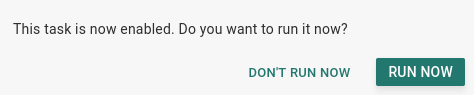
Enable and run a rule.#
Run now
You can run a rule using the Run now option.
Select a rule to open it.
Select Run now.
Alternatively:
Select a rule to open it.
Select More
> Run now.
When you manually run a rule, you can choose to match only data last updated within a specific time window. Under Match data last updated in, choose:
Past 7 days
Past 14 days
Custom — specify a custom date range.
The rule runs against entities whose data was last updated within the selected window.
Edit rules#
To edit a rule, do one of the following:
From the list of rules
Locate the rule you want to edit.
Select More
on the right of that rule.Select Edit.
From an open rule
Do one of the following:
Select Edit
 from the top right.
Select More
> Edit from the top right.
Delete rules#
Caution
Deleting a rule is irreversible. You may want to disable a rule instead.
To delete a rule, do one of the following:
From the list of rules
Locate the rule you want to delete.
Select More
on the right of that rule.Select Delete.
From an open rule
Select a rule to open it, then select Delete.
Filter rules#
Filter by rule name
To filter by Rule name, enter an exact term
(case-insensitive) to filter by in the
 Filter … field.
Filter menu
Select Filter  to display the filter menu.
Here, you can filter rules by:
Category |
Description |
|---|---|
Status |
Filter rules by whether they are Enabled or Disabled. |
Source |
Filter rules by Source criteria. See Create entity rules. |